For background, the first game I ever worked on back in 2020 was for the Two-Minute Horror Jam. The game was a shocking success, and now it holds a special place in my heart.
In 2024, someone else decided to host a second two-minute jam (this time not solely for horror games). Since that first game means so much to me, I decided to enter this new jam and make another horror game. I was inspired by the wave of anomaly games that were popular at the time, and also by SCP stories I've learned about in passing over the years, so I decided to make a game about an anomalous VHS tape.
I also wanted to challenge myself by trying something new, so I decided to use mic input as a mechanic. I spent a month planning and developing this game for the jam as a solo project.
Core Features
- Implemented microphone-based noise detection gameplay
- Created a limited camera movement system inspired by popular horror games
- Developed a data-driven animation system for film sequences
- Designed a randomized disturbance event system
- Created a render-texture based "film within a game" system
Watch a full playthrough below!
Mic & Noise Detection
Watch the video below to see how sustained noise causes the monster to emerge from the television. If it continues to detect noise, it'll get closer and closer to the player until it triggers the "game over" condition.
However, if the player stays quiet, the monster will retreat and return to its idle movements until the game ends.
I was surprised by how easy it was to integrate this functionality. I watched one tutorial on YouTube and basically had everything required to get started. From there, I could tweak the implementation to fit my needs.
public void MicrophoneToAudioClip() {
    micIndex = PlayerPrefs.GetInt("micIndex", 0);
    string microphoneName = Microphone.devices[micIndex];
    microphoneClip = Microphone.Start(microphoneName, true, 20, AudioSettings.GetConfiguration().sampleRate);
    source.clip = microphoneClip;
}

public float GetLoudnessFromMic() {
    int clipPosition = Microphone.GetPosition(Microphone.devices[PlayerPrefs.GetInt("micIndex", 0)]);
    int startPosition = clipPosition - sampleWindow;

    if (startPosition < 0) {
        return 0;
    }

    float[] waveData = new float[sampleWindow];
    microphoneClip.GetData(waveData, startPosition);

    // compute loudness
    float totalLoudness = 0;
    for(int i = 0; i < sampleWindow; i++) {
        totalLoudness += Mathf.Abs(waveData[i]);
    }

    return totalLoudness / sampleWindow;
}
Limited Camera Movement
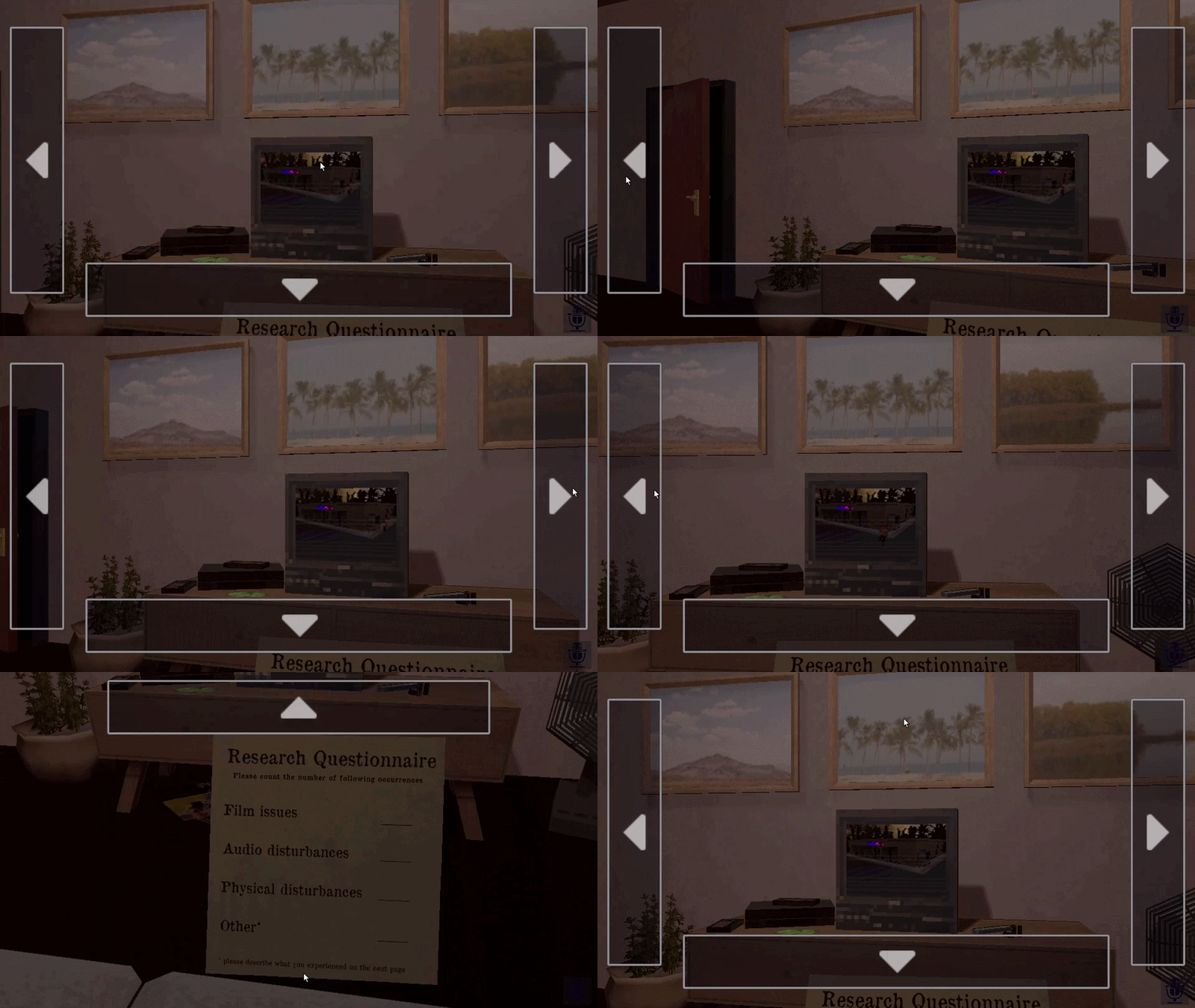
This was inspired by games like Five Nights at Freddy's, where the player is locked in place at all times, and must use the mouse to look from side to side. I really liked how this concept creates tension in horror games, so I decided to implement it for my own game.
I designed two types of hover-based UI sections for this game:
- look right/left while hovering and stop looking on hover exit
- move up/down on hover enter
The "Film"
Because this game heavily features a film as the source of the anomalies, I had to figure out how to incorporate that. I have very minimal experience with Blender and animation, so I wanted to find a solution that allowed me to animate the film NPCs without having to get too involved with the animations.
What I ended up doing was taking the human models (and the monster model) and downloading pre-made animation clips from Mixamo. I then created a data structure that would allow me to queue up animation states in the Unity editor, with some additional parameters, and then execute them at runtime. This dramatically reduced the amount of animation work I needed to do, and it also allowed me to fiddle with the animations until I was happy without having to worry about video files.
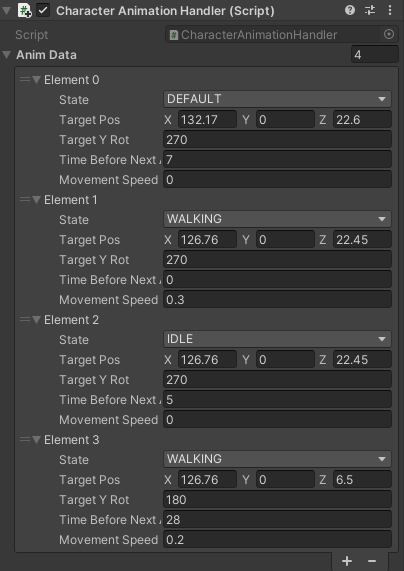
From there, I simply added the film's set in a different part of the game's scene, added a camera pointed at it, and rendered the camera's view to a render texture on the TV's screen. Everything you see in the game's "film" is all happening in parallel with the main game itself!
The Disturbances
To keep repeat playthroughs unpredictable, I designed the disturbance system so that events would appear in a different order each time. The disturbances that occur throughout the length of the game are all scripted, but the order they play in is randomized at the start of each playthrough. Types of disturbances include: audio, TV/film, lighting, and things happening to objects around the room.
Events are sorted by priority:
- a set of disturbances that must happen before the monster appears (i.e. the fan turning off)
- a set of disturbances that must happen at some point during the game (i.e. the door opening & slamming shut)
- a set of disturbances of lower priority that may happen at any point before or after the monster appears, if at all (i.e. the painting tilting & falling)
Some disturbances could have two steps, such as the door creaking open, then slamming shut, or the painting tilting, then falling.
After sorting the higher priority disturbances and randomizing their order, the code then sprinkles in the rest of the selected disturbance events randomly after this. When needed, the DisturbanceEvent component handles adding the second step of the event (i.e. the door slam after the door creak) to the list of disturbances.
From there, each disturbance event is assigned a "timestamp," so it knows at what point it should trigger. This is important, since the monster will always appear around the 50 second mark, so the code ensures the high priority events play before that time.
Closing Thoughts
Film #039 was a small project, but it gave me a chance to experiment with mechanics I had never worked with before. Implementing microphone input was surprisingly straightforward, while the disturbance and animation systems taught me a lot about building reusable data-driven tools in Unity.
Most importantly, it reinforced how much atmosphere can be created through simple mechanics. Restricting player movement, reacting to microphone input, and randomizing disturbances all helped create tension without requiring especially complex systems.